Enterprise AI: The Real Challenge Is Operations, Not Development
Nearly every enterprise is accelerating AI adoption. LLM use cases are multiplying, and AI agents are moving from promise to production results.
In the early days, the questions were simple: “What model should we build?” and “How do we create business value with AI?” But as AI moves from proof-of-concept into production, those questions have changed. The conversation has shifted from what to develop to how to reliably operate and sustainably scale what you’ve already built.
When enterprises try to bring AI into production, they run into challenges like these:
- How do we operate AI models built by different teams under a single, consistent standard?
- How do we efficiently allocate and manage expensive GPU infrastructure?
- How do we enforce security policies and access controls from a central point?
- Can we bring in any AI application we need — open-source or custom-built — and compose them the way our workflows require?
- Can we develop and deploy in air-gapped or on-premises environments with the same flexibility as the cloud?
At the core, these challenges come down to two problems. First, common infrastructure — authentication, resource management, security — has to be configured separately for every application. Second, it’s hard to freely compose and extend the applications that run on top of that infrastructure.
What’s needed is a platform that handles the shared foundation once, while giving teams the freedom to deploy any application they need — with centralized control maintained throughout. That’s the idea behind the AI Operating System, or AI OS.
What Is AI OS?
Just like a PC or smartphone, AI infrastructure — GPU servers, storage, and network — needs an operating system.
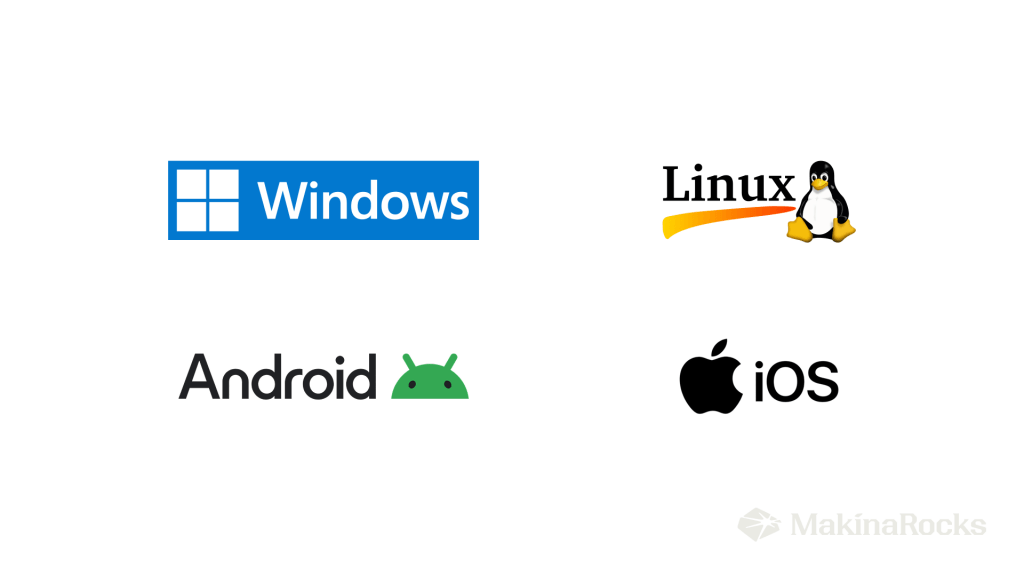
[Image: Major PC and mobile operating systems]
When you first turned on your smartphone, you didn’t have to install anything to get started — a phone, messaging, and camera were already there. You could open an app store and install whatever you needed. Behind the scenes, the OS handled storage, networking, and permissions as shared services — so no app had to rebuild those foundations. Developers could focus entirely on what made their app worth building.
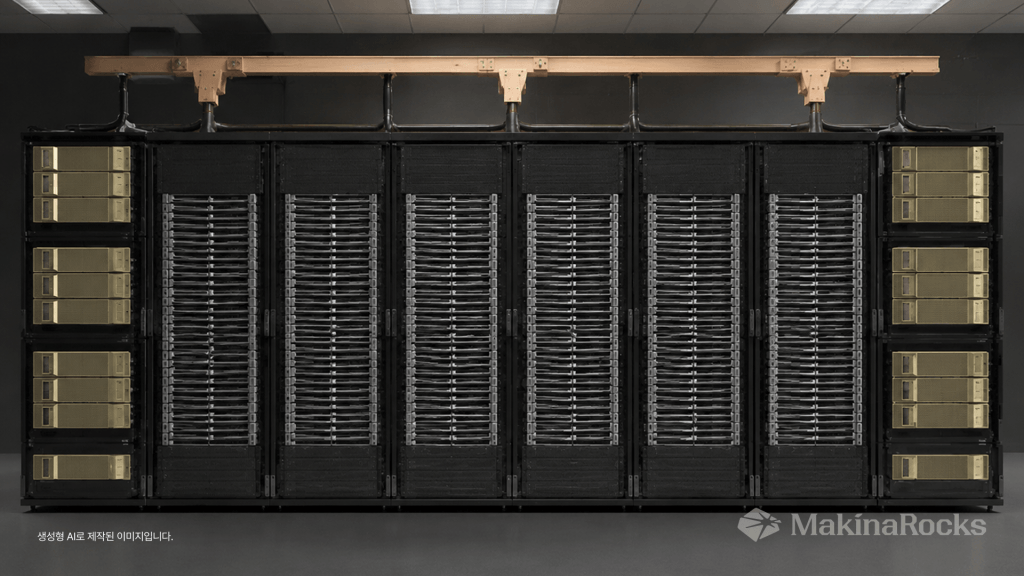
Enterprise AI works the same way. Having GPU servers and storage provisioned doesn’t mean you’re ready to run AI. The infrastructure still needs an operating layer — something that manages resources, enforces access controls, and provides a stable runtime for AI applications. That’s AI OS in practice.
- AI infrastructure management — Just as Windows manages CPU and memory, an AI OS manages GPU allocation, storage, and networking — tracking which teams are consuming which resources and surfacing idle capacity.
- Access control and identity — AI models, training data, and experiment environments all require proper access governance. SSO, RBAC, and audit logging aren’t optional extras; they’re foundational.
- Unified AI runtime — Model configuration, serving infrastructure, vector databases, and orchestration tooling are connected within a single platform, so experimentation, deployment, and operations flow seamlessly end to end.
- Air-gapped and on-premises support — In regulated industries like defense, manufacturing, public sector, and financial services, external network access is often restricted. AI applications need to run reliably there too.
An AI OS isn’t a tool for building individual models. It’s the operating layer that lets AI applications run, improve, and be reused continuously across an enterprise — on a foundation that every team shares, but no team has to maintain.
From Built-In Apps to Bring-Your-Own — Compose Freely
The challenges above — inconsistent operations, resource overhead, security sprawl, redundant development — all trace back to one root cause: every time a new AI application is deployed, infrastructure, authentication, and security get configured from scratch. Once or twice, that’s fine. Across dozens of teams and use cases, it breaks down.
Runway handles authentication, access control, resource management, and security at the platform level — once — so teams can freely deploy whatever they need on top. Everything that runs on Runway is treated as an app: development environments, data infrastructure, model serving APIs, AI chatbots. Teams pick what they need and assemble from there. There are three ways to do that.
-
Platform apps: pre-installed, like the built-in apps on your phone
When you first boot an iPhone, Safari, Mail, and Calendar are already there — no setup, no sign-in friction. They just work.
Runway ships the same way. From the moment it’s installed, a full suite of core tooling is ready to use: Gitea for source control, MLflow for experiment tracking, Airflow for orchestration, Argo CD for GitOps-based deployment, LLM Playground for managing large language models, and Chat as an AI interface. This holds even in air-gapped environments. Everything is integrated via Keycloak-based SSO — one Runway login, access to everything, no per-app authentication required.
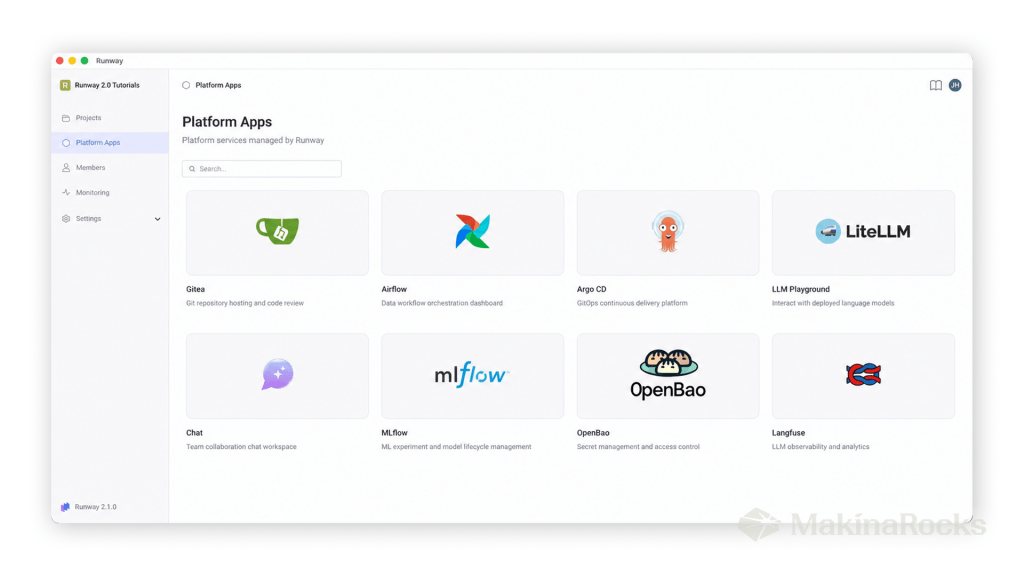
[Image: Runway Platform Apps screen showing pre-installed services]
-
App catalog: browse and install, like an app store
An app store surfaces vetted applications ready to install with a tap. Runway’s app catalog works the same way — except everything in it is built for AI engineering workflows. Development environments like JupyterLab and Code Server, vector databases including Milvus, Qdrant, and Chroma DB, and Langflow for building RAG pipelines and multi-agent workflows without writing orchestration code. Select what you need and deploy immediately, no configuration required.
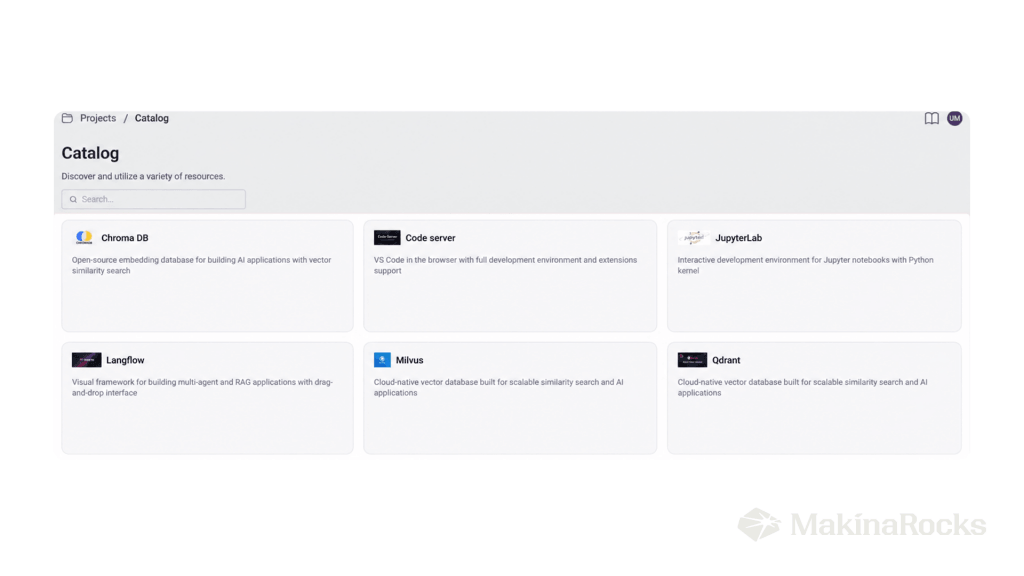
[Image: Example of apps available through the catalog]
-
Custom deployment: sideload anything, or bring your own app
Just as a developer can sideload an app outside the official store, Runway supports deploying any workload via Helm chart — whether it’s an open-source tool not in the catalog, a proprietary model serving API, an internal analytics dashboard, or a custom admin tool. There’s no vendor-curated boundary. And regardless of where an app comes from — the catalog, a Helm chart, or co-developed with MakinaRocks — the same authentication, access control, and resource governance applies automatically.
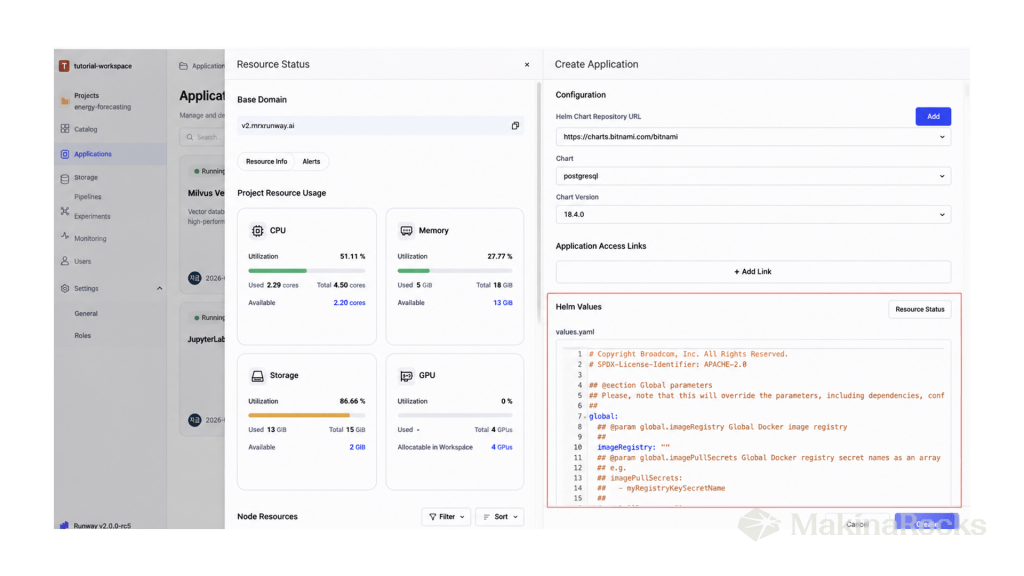
[Image: Custom app deployment with Helm charts]
Freedom to Deploy, Control from the Center — Governance in AI OS
The freedom to install any app doesn’t mean anything goes. On a smartphone, you can install whatever you want — but in Settings, you control exactly what each app can access: camera, location, microphone, contacts. The OS enforces those policies centrally.
Runway’s governance model works the same way. Teams can deploy and compose applications freely, but the platform controls who can access which apps and data — all from a single control plane. And as AI expands across business units, that control becomes critical: who can access which data, what actions have been taken, and whether the entire operational trail is auditable.
Runway 2.0 handles this through SSO, RBAC, fine-grained permission controls, and audit logging — all managed from one place. Administrators can use built-in roles or define custom permission sets for their organization. This governance layer isn’t limited to models and datasets; it extends to every AI application running on Runway, regardless of how many teams are using how many tools.
The freedom to deploy any application makes centralized governance not a constraint, but a prerequisite.
Own the OS, Own the Outcomes
The defining characteristic of Runway isn’t any single feature — it’s that AI applications aren’t locked into a fixed pipeline. Every component is independent, and how they connect is up to the team. Run experiments in JupyterLab, log results to MLflow, and deploy via Argo CD. Or build a RAG pipeline in Langflow and serve it directly through Chat. The composition is driven entirely by your team’s goals — not by a sequence baked into the platform.
And that freedom comes with accountability built in. Which apps can run, who can access them, how resources are allocated, whether every action is traceable — all of it managed at the OS layer.
Good AI models are no longer scarce. What’s scarce is the organizational capability to run them reliably, repeatedly, and on your own terms. The competitive advantage in AI is shifting — from who builds the best model to who can operate AI effectively at scale. That’s why Runway 2.0 is built as an AI OS — because the companies that win at AI won’t just be the ones that built the best models. They’ll be the ones that learned to operate them.